HOW IT WORKS
Open-lid mode disables automatic sensing.
This article notes T3 Slim can remain in a Stay-Open Mode where the infrared sensor is off. A short button press is used to reactivate automatic sensing.
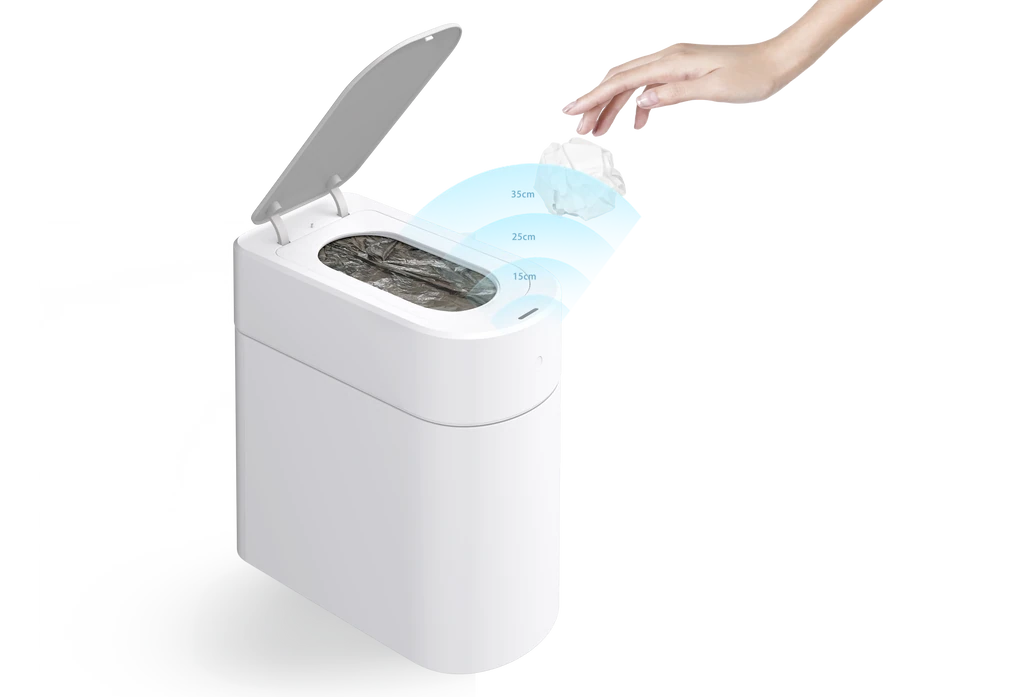
Sensor position matters.
Testing should be performed by moving a hand directly above the top sensor, not by walking past the side of the bin.
A dirty sensor can reduce response.
Dust, residue, or an obstruction on the sensor window should be removed before testing the mode controls.
STEP BY STEP
Restore automatic sensing
Locate the infrared sensor on the top of the T3 Slim.
Wipe the sensor gently with a dry or only lightly dampened soft cloth.
Briefly press the top button once. Do not hold it down.
Move your hand directly above the sensor and check whether the lid opens.
If there is still no response, briefly press the button once more and repeat the test.
If the issue remains, stop repeating the cycle and document the steps already attempted for support.
SAFETY AND LIMITS
Stop before a small issue becomes a mechanical one.
- Do not spray cleaning product directly onto the sensor, button, charging port, or lid mechanism.
- Do not use a sharp tool or abrasive pad on the sensor window.
- Keep hands away from the lid and internal sealing mechanism while the product is moving.
- Confirm the T3 Slim model label before following these steps.
PRODUCT VISUALS